


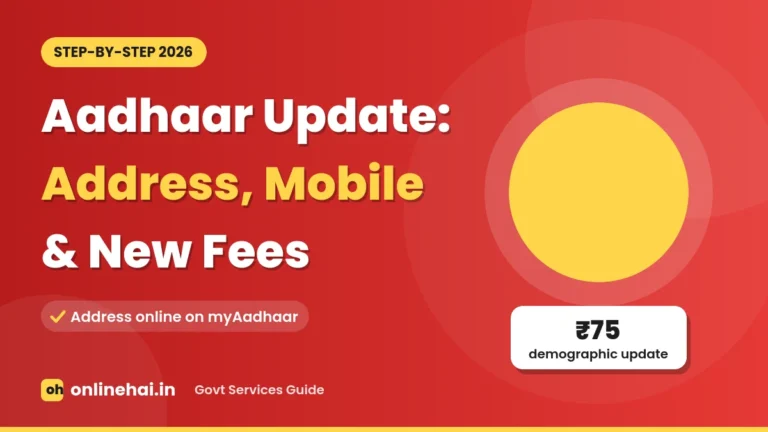
 Government Services
11,400+Businesses
98Categories
179Places
India's local portal
Find Local Businesses, Shops & Services Near You
11,400+ listingsDaily city guidesDirect contact, no commission
 Find Trusted shops, services & professionals in your city — fast, free & reliable.
Popular cities
Latest Listings
Newly added businesses on OnlineHai
 New
Web Development
THE TISA
Rajasthan, India
 New
Consultants
Mitha Aahara – Clinical Nutritionist & Dietitian
Bengaluru, Karnataka
 New
Architects
VAK Architects and Interior
Tiruppuvanam, Tamil Nadu
 New
IT Service
Shopiators
Indore, Madhya Pradesh 452001
 New
App Development
12realtesters
Rajkot, Gujarat
 New
Beauty Parlour & Spa
Best Salon in Amritsar for Everyday Beauty and Grooming
 New
Hotels
AJEETS Management and Manpower Consultancy
Mumbai, Maharashtra
 New
Gym
Samarpan Fitness
Noida, Uttar Pradesh
 New
Packaging Services
Tanvi Movers and Packers
Moradabad, Uttar Pradesh
 New
Event Planners
Tracevenue – Event & Catering Planning Platform
Mohali, Punjab
 New
Swimming Pool
DS Water Technology
New Delhi, Delhi
 New
Hospital
Diya Fertility Centre | Fertility Centre in Hyderabad
Hyderabad, Telangana
Hybrid Service Hub · Directory + Growth Tools
Explore All Add-Ons →More Than a Directory: Complete Tools to Run & Grow Your Business
Whether you run a shop, clinic, salon, restaurant, hotel, coaching centre, or repair service, OnlineHai gives you ready-to-use digital marketing and customer management tools on one simple page.
Bookings & Slots
Bookings, Tokens & Appointments
Let customers book a time slot, clinic token, table, room, or event date right from your page with instant WhatsApp alerts.
Clinics · Salons · Food · Stays · Venues
Orders & Quotes
Rate Lists, Menus & Custom Quotes
Show your products, menu items, or service packages with clear prices so customers can place orders or request quotes in one tap.
Shops · Repair Services · Agencies · Travel
Mini-Website Tools
Brand Colors, Offers & QR Kits
Turn your listing into your own branded page with custom colors, festival offer banners, batch/course lists, and printable QR posters.
Education · Retail · Fitness · All Businesses
Digital Marketing
Search Boost, Reviews & Lead Inbox
Appear higher in local searches, collect verified customer reviews, track monthly performance, and manage enquiries from one dashboard.
Built-In Growth for Every Category
Guides & news
View all guides →Latest guides from OnlineHai
Festival dates, government services and local tips for Mathura, Agra & nearby, new guide every day
Government Services Business growth tips
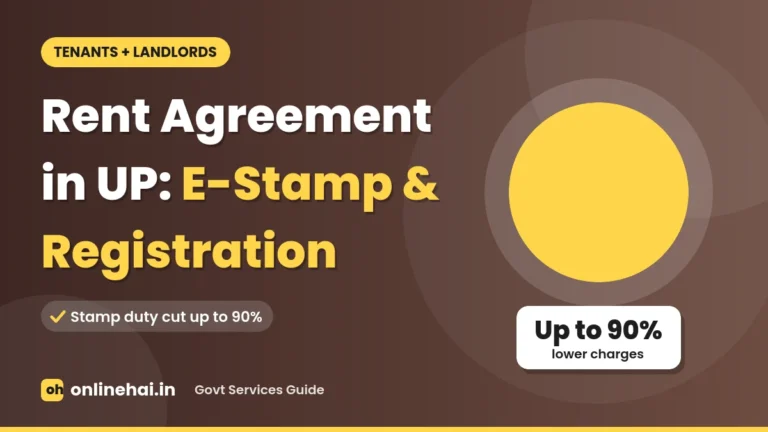 Government Services
 Business growth tips
 Festivals & Travel
 Business growth tips
FAQs
View all FAQs →Frequently Asked Questions
Quick answers for customers searching local businesses and owners growing on OnlineHai
What is Onlinehai?
OnlineHai (onlinehai.in) is a local business discovery and directory platform in India listing 11,400+ shops, doctors, hotels, schools, banks, repair services, and other local businesses across 179 towns and cities. Customers can find verified addresses, opening hours, Google Maps directions, and call or WhatsApp businesses directly in one tap.
How do I register a business?
Create a free account on onlinehai.in, choose a listing plan (starting with the free Basic plan), and fill in your business name, category, address with map pin, phone or WhatsApp number, timings, and photos. Our team reviews new submissions and your business page typically goes live within 1–2 working days.
How do I get verified?
Log in to the account that owns your published business listing, open the Get Verified page (or tap Get Verified on your listing or dashboard), enter your business details and declarations, and pay the ₹199 verification fee via UPI (valid for 6 months). Our team checks your business details and adds the blue Verified badge once confirmed—or refunds the full fee if we cannot verify it.
Is there a fee to use the portal?
Searching, browsing, calling, WhatsApping, and getting directions to businesses on OnlineHai is completely free for customers with zero commission. For business owners, the Basic listing plan (valid for 1 year) and claiming an existing listing are free, while optional upgrades like Standard (₹999/year), Premium (₹1,499/year), the Verified badge, ads, and add-ons are available for extra features and visibility.
Can I update my business details?
Yes. Once you add or claim your business, you get your own owner dashboard where you can edit your phone number, WhatsApp number, address, opening hours, photos, FAQs, and other details anytime.
What are the benefits of verification?
A blue Verified tick next to your business name shows customers that our team has checked and confirmed your business ownership and details. It helps your listing stand out in search results, builds instant customer trust, and increases calls and enquiries.
How do promotion plans work?
Promotion packages (starting from ₹199 for 28 days) place your business at the top of matching search and category results, on nearby category listing pages, in related local guides, and—with the Featured package—in the Featured Businesses section on the homepage. Ads carry a clear Sponsored label and stop automatically after 28 days with no auto-renewal charges.
What is the process to claim a business?
Search for your business on onlinehai.in, open its listing page, tap Claim Now, and submit your contact details along with one proof of ownership (such as a GST or Udyam certificate, shop licence, business utility bill, visiting card, or shop board photo). After email confirmation and a quick team review (usually 1–2 working days), full control of the listing moves to your dashboard for free.
What are the benefits of custom QR codes?
OnlineHai provides a built-in QR kit in your owner dashboard—including a direct short-link QR code for boards and visiting cards, a ready-to-print A4 Review Poster so customers can leave feedback in one scan, and a free QR Code Generator tool for UPI payments, WhatsApp enquiry chats, Wi-Fi sharing, and menus.
What custom features and tools can I use to grow my business?
Business owners can turn on smart tools directly on their listing page—including a Smart Enquiry Inbox with WhatsApp replies, Review Booster, Monthly Performance Reports, Short Link & QR Kit, Offer Strips, Brand Colour customization, and industry-specific add-ons like Product Catalogue & Orders, Table & Room Booking, QR Table Ordering, Clinic Tokens, Appointment Slots, Courses & Demo Classes, Service Visit Requests, and Quote Forms.
11,400+Businesses
98Categories
179Places
For business ownersGet your business found on OnlineHai
- Free basic
listing - Customers call
you directly - Photos, timings
& map

Find trusted local businesses across India: restaurants, salons, repair shops, doctors and more, all in one place.